
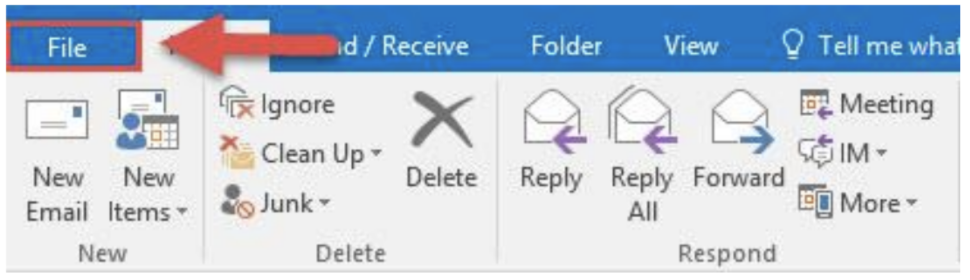
1. Open Outlook, and from the tabs at the top click on File.
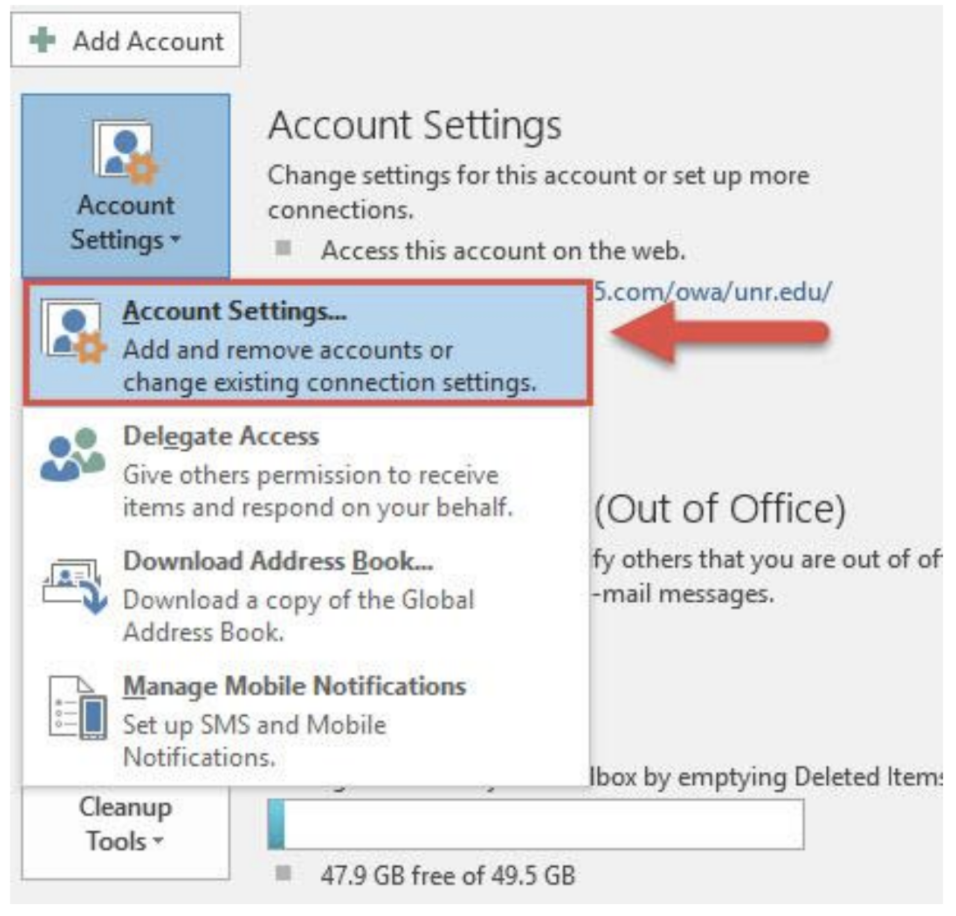
2. Select the Account Settings drop down menu and then click on the Account Settings options.
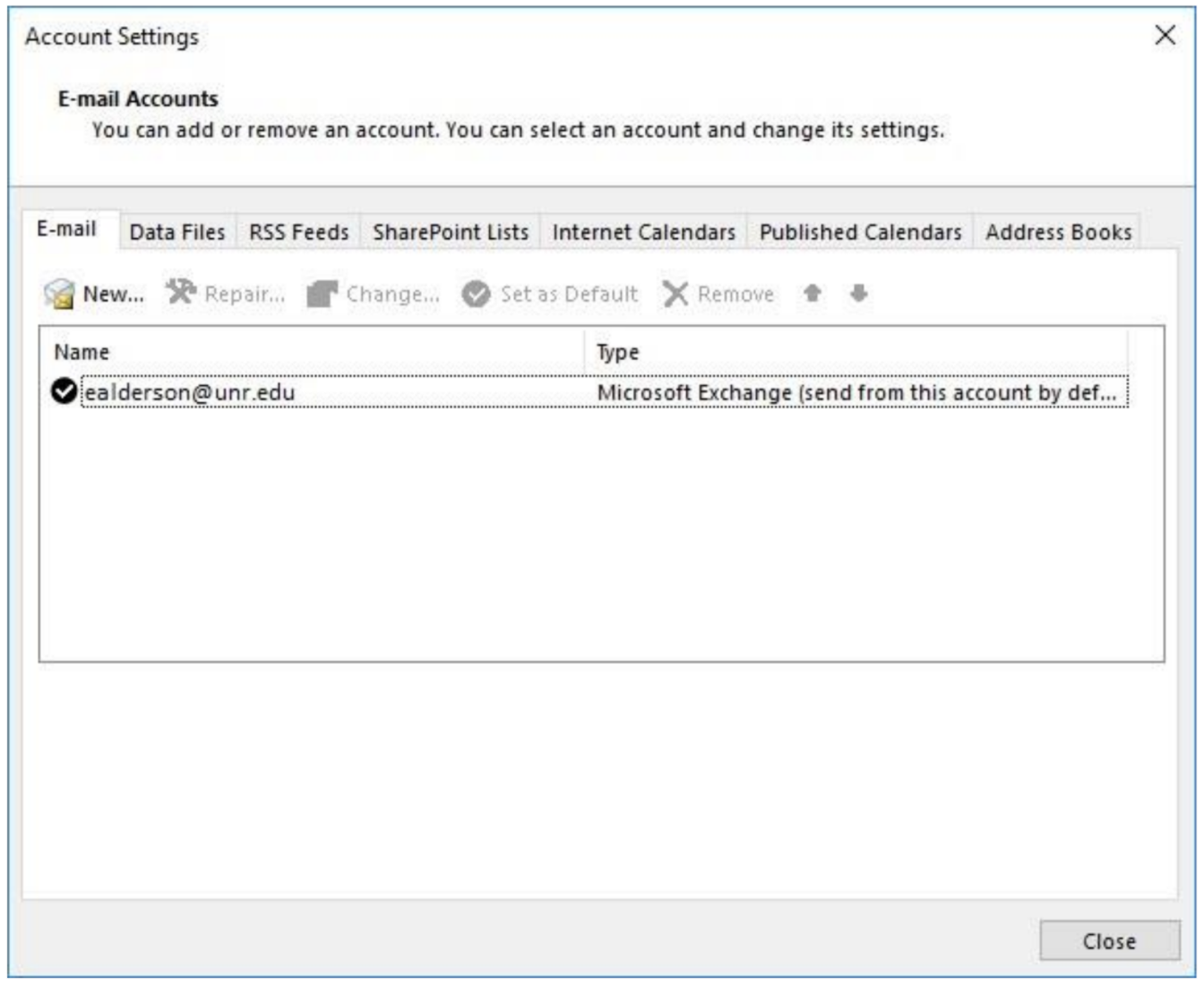
3. From the Account Settings double click on your email address.
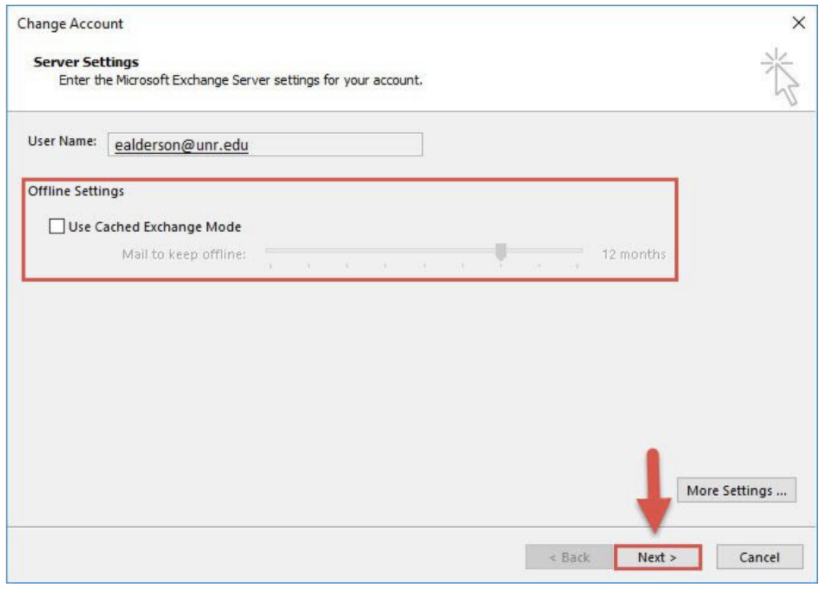
4. Under the Offline Settings header in the Change Account window, uncheck the box next to Use Cached Exchange Mode and then click Next.
5. You will see a pop-up window reminding you that the changes won't take effect until you restart outlook. Click OK.

6. The final window will confirm that the change was completed successfully. Click Finish.

7. Close Outlook and reopen the application for the changes to take effect.
Comments
0 comments
Article is closed for comments.