
Outlook Desktop Application
1. On the Home tab, in the Find group, select Address Book.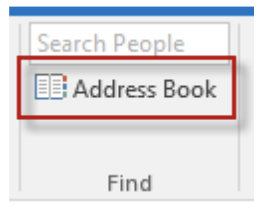
2. The Address Book: Contacts dialog box will open.
3. Select an address book from the Address Book drop-down list to view its addresses. For the list of everyone under the ALP umbrella, choose Global Address List.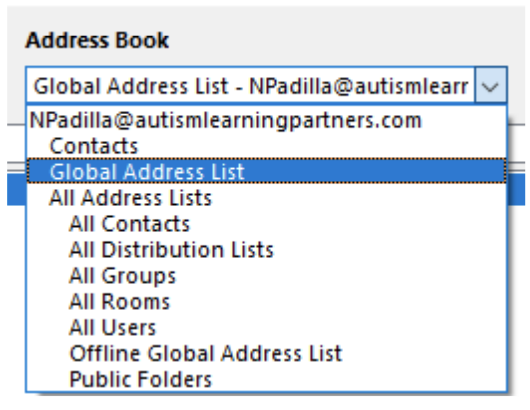
Outlook Web Application
1. Go to outlook.office.com
2. Click on the People tab at the bottom left of the page
3. A tab will open up – on the left pane, scroll down to Directory and click “Default Global Address List”
Outlook Mobile Application
Note: In the mobile application, there is not a directory of contacts, but you can search for someone and it will show their job title and other information.
1. Open the Outlook Application
2. Click the search icon at the bottom
3. Click the People tab and search for whomever you need to
4. Click the profile -- contact info and their job title will show
Comments
0 comments
Article is closed for comments.